
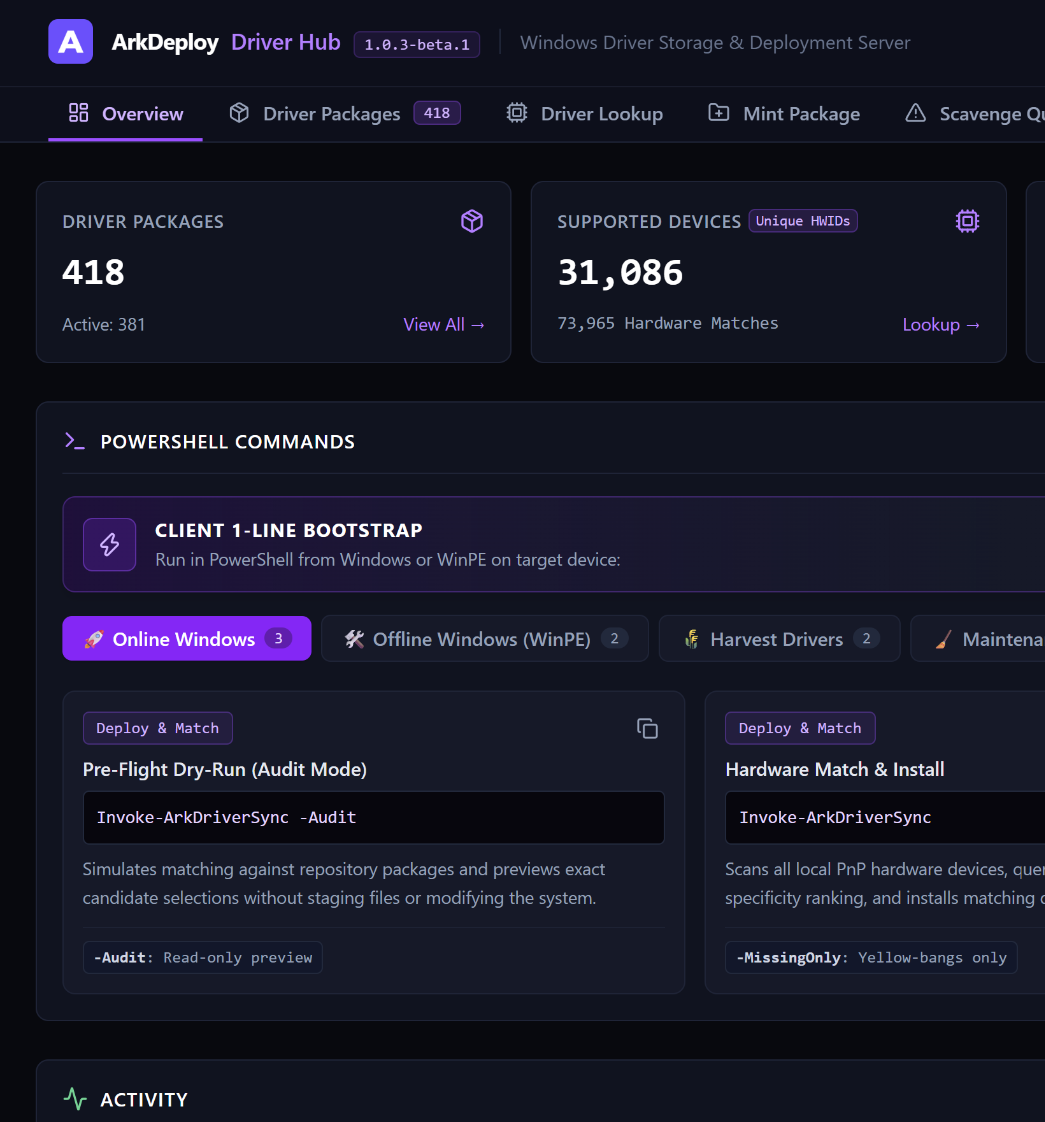
ARKDEPLOY DRIVER HUB
On-Premises Driver Management.
Build a central Windows driver library, match drivers to hardware, and install or export the drivers you need. Give your IT team one place to manage drivers across Windows PCs and WinPE deployment environments.
Available through WinGet and GitHub. Currently in beta.
Driver management shouldn’t mean starting over.
Scattered packages, changing hardware and repeated driver collection make Windows deployments harder to maintain. Bring your drivers into a central library and check hardware matches before installation.
WHAT YOU CAN DO
Windows driver management, made simpler.
Organise your driver library, find compatible drivers using hardware IDs and manage everything through a central web-based dashboard.

Central driver library
Browse, organise and filter your Windows driver packages in one place. Identify outdated or superseded drivers and their replacements.

Hardware matching
Look up hardware IDs, compare ranked matches, and preview the base driver and companion extensions that would be installed.

Web-based dashboard
Manage your driver library, review hardware coverage and monitor storage usage through a central browser-based interface.
DEPLOYMENT & AUTOMATION
Check first. Then install or export.
Preview driver matches before making changes, install compatible drivers on Windows or WinPE, and contribute packages back to your central library.

Preview before installing
Use audit mode to simulate driver synchronisation and review the results before making changes to your system.

Install matched drivers
Use the PowerShell client to identify and install compatible drivers on Windows devices or within your WinPE environment.

Contribute to your library
Export drivers from existing machines to your central library, or combine matching, installation and contribution into one workflow.
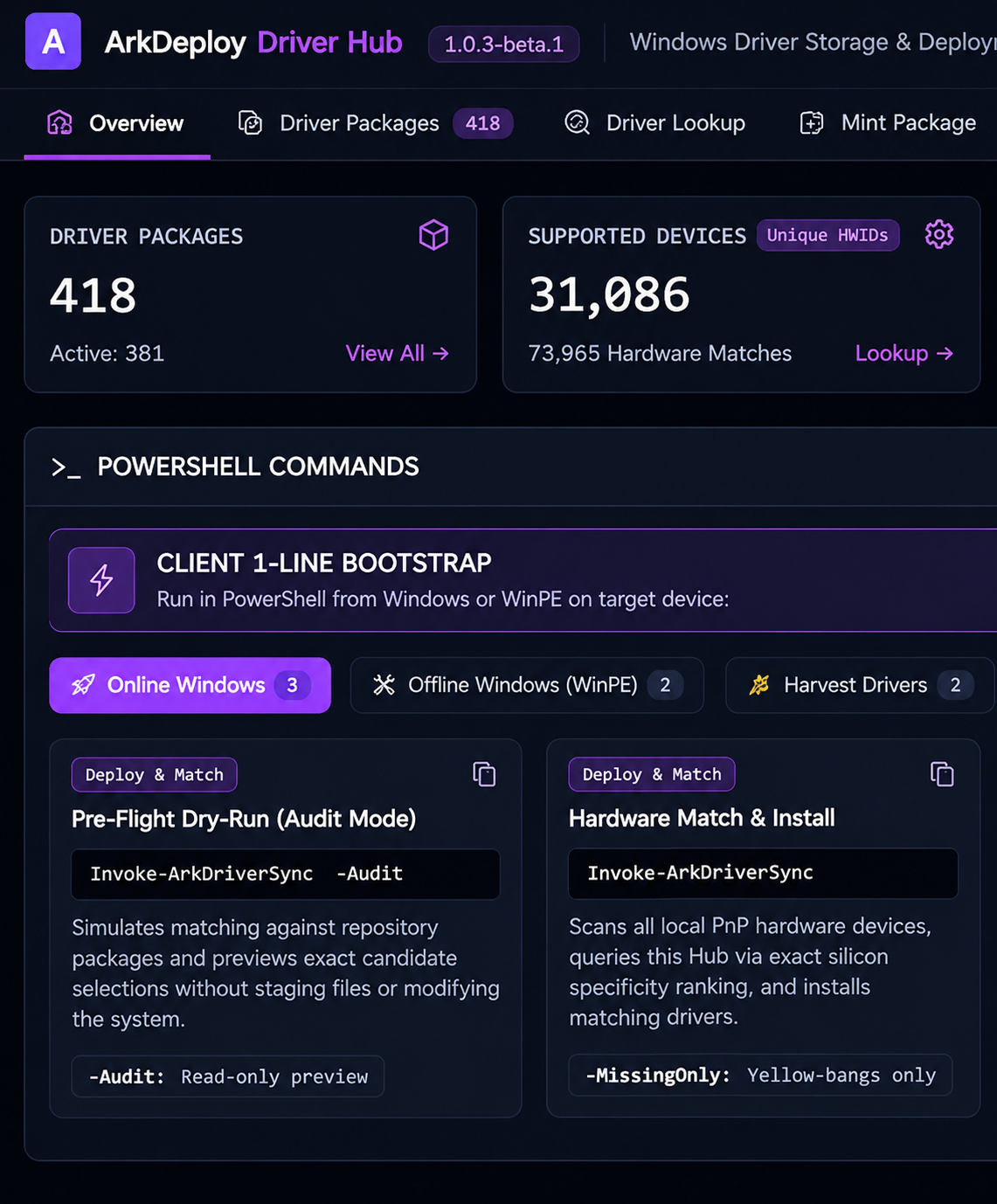
01 · CENTRAL MANAGEMENT
Your entire driver library. One dashboard.
Browse your driver packages, monitor storage usage and identify superseded drivers from a central web interface.
Centralised overview
See your driver library, hardware coverage and storage usage from one interface.

Monitor your library
Keep track of driver packages and identify areas that need attention.

Manage through your browser
Access and manage Driver Hub through its web-based dashboard.
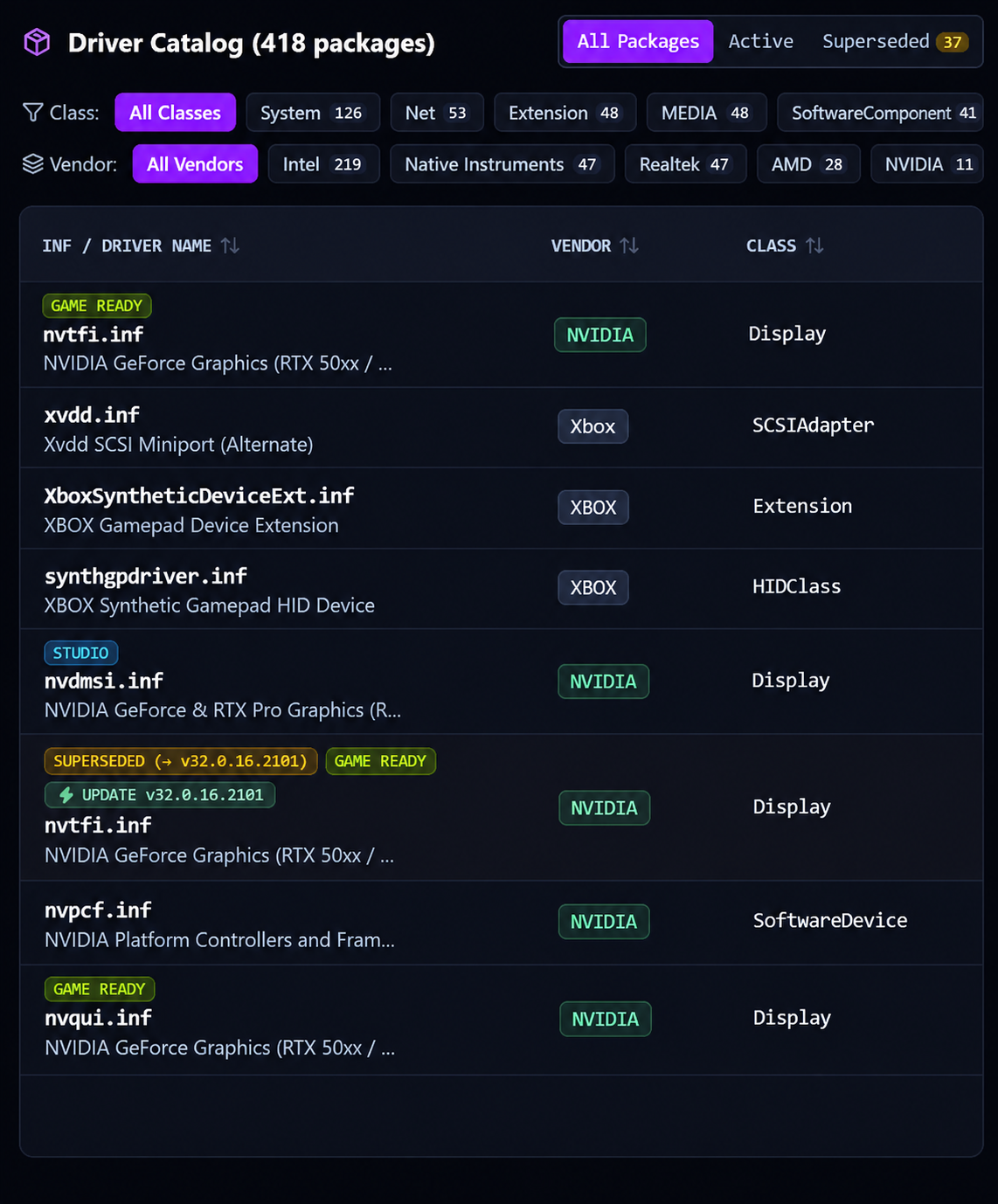
02 · DRIVER LIBRARY
Find the drivers you need.
Search, filter and inspect driver packages, with visibility into versions, supported hardware and superseded drivers.

Browse and filter packages
Quickly locate drivers using searchable package information and filters.

Inspect driver details
Review driver versions, supported hardware IDs and package information.

Identify superseded drivers
Find older driver versions and see which packages replace them.
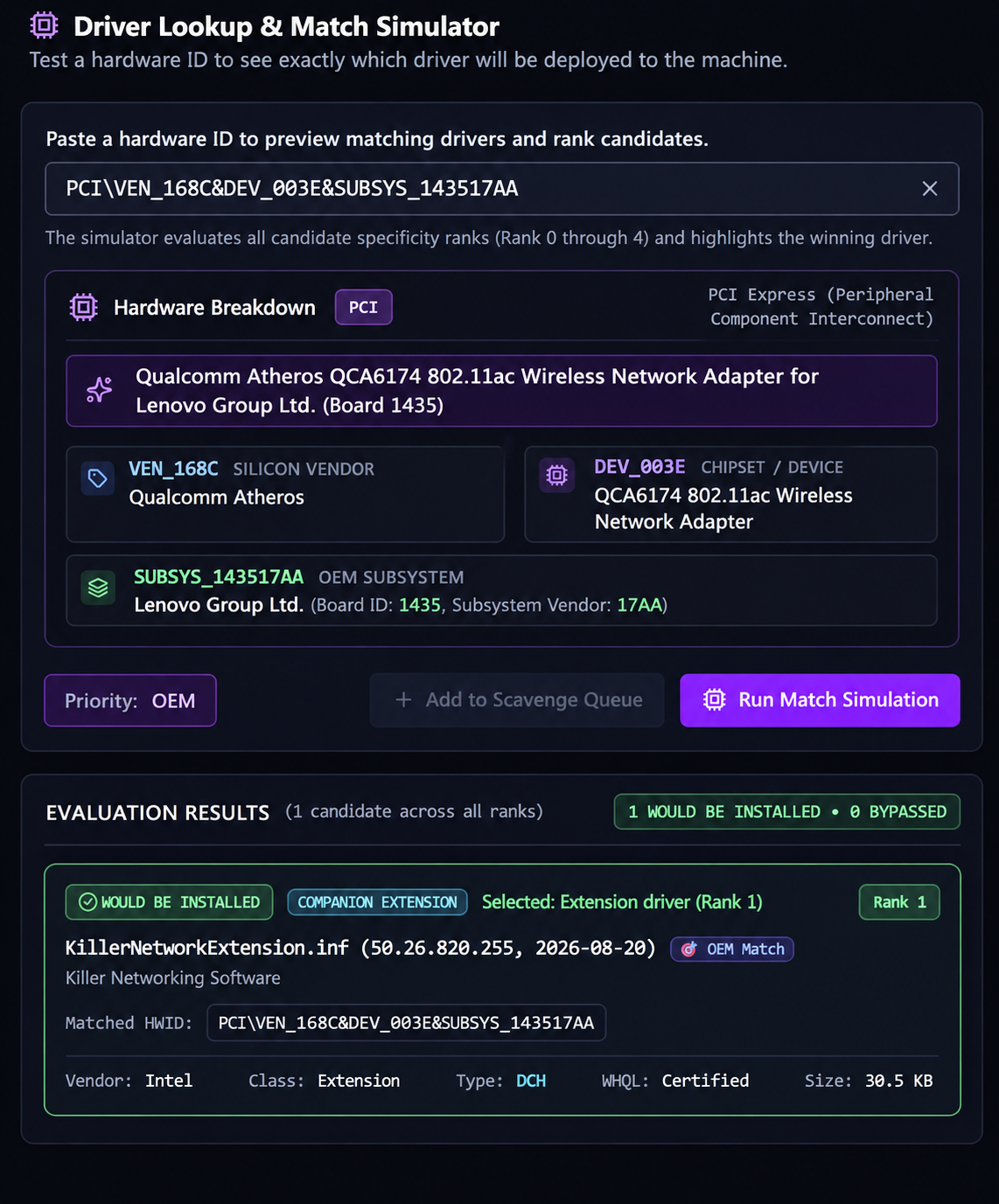
03 · HARDWARE MATCHING
Match drivers to your hardware.
Look up hardware IDs, compare ranked matches and preview the driver packages selected for installation.
Search by hardware ID
Find compatible driver packages using Windows hardware identifiers.

Compare ranked matches
Review matching results to understand which drivers are the best candidates.
Preview driver selection
See the base driver and companion extensions selected for installation.
04 · CLIENT POWERSHELL MODULE
Take Driver Hub to your devices.
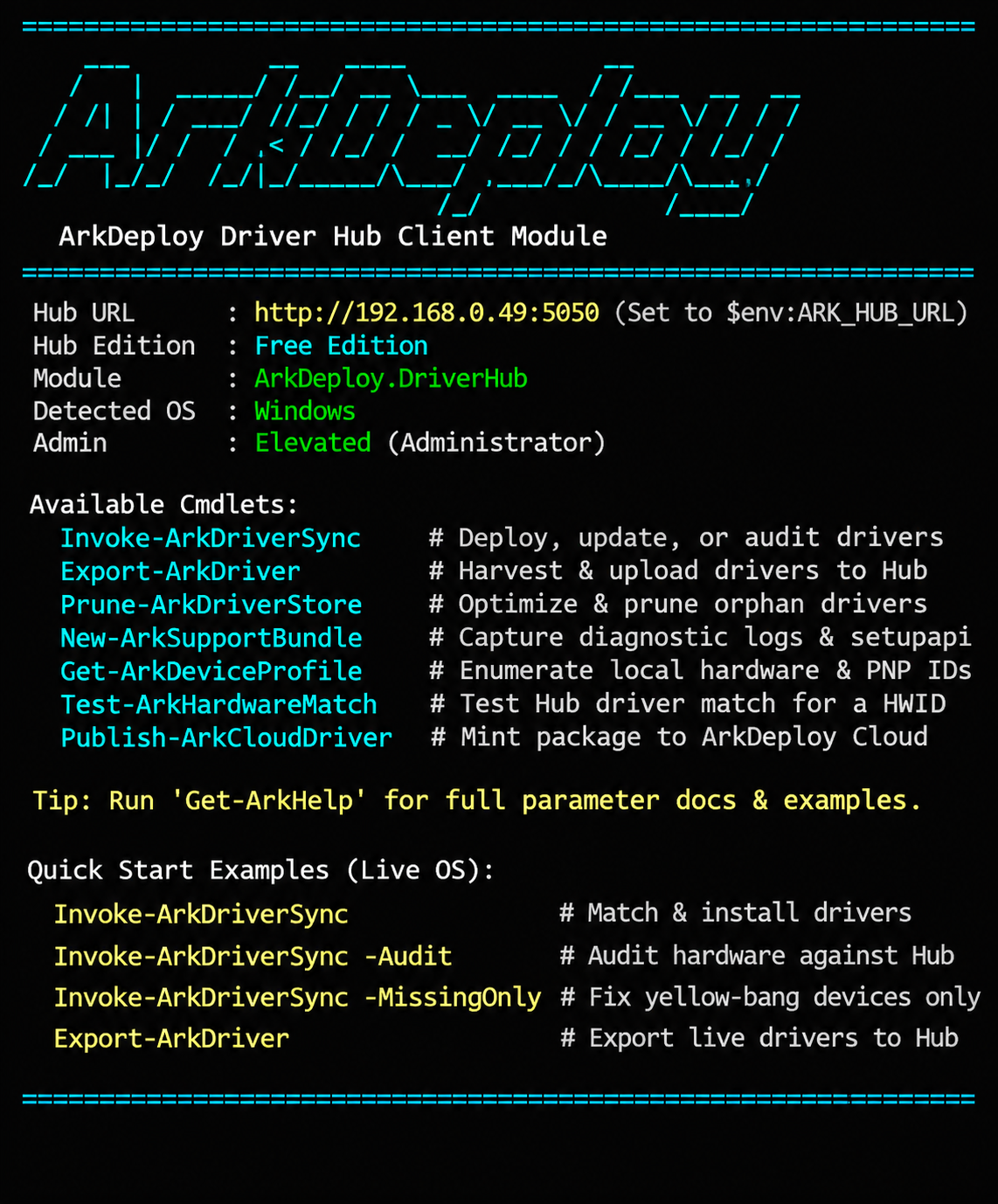
Extend your central driver library to Windows PCs and WinPE environments using the ArkDeploy Driver Hub PowerShell module.
Working with Windows deployment images? ArkDeploy Toolkit handles Windows image deployment and capture, while ArkDeploy PXE provides network booting for Toolkit-generated Windows PE environments. Both can complement Driver Hub’s driver management workflows.
Audit before making changes
Preview hardware matches and driver synchronisation without installing anything.

Install compatible drivers
Match and install drivers from your central library on Windows or WinPE.
Contribute drivers back to the Hub
Collect and export drivers from existing machines into your central library.
Get started with Driver Hub
Open PowerShell or Command Prompt and run:
winget install arkdeploy.driverhubWinGet is the recommended installation method and resolves the required .NET runtime dependencies automatically.
Requires a supported 64-bit Windows system and local Administrator rights. See the repository for full system requirements and beta release notes.