

ARKDEPLOY PXE
PXE boot Windows PE. No USB required.
Boot your ArkDeploy Windows PE environment directly over the network. ArkDeploy PXE provides a lightweight TFTP and iPXE boot server, working alongside ArkDeploy Toolkit to simplify Windows image deployment and capture.
Same deployment workflow. A different way to boot.
If you already use ArkDeploy Toolkit to build Windows PE media, PXE adds a network boot option. Keep your Toolkit-generated boot.wim in a central PXE root and use it to start compatible clients over your provisioning network.
PXE → iPXE → Windows PE → ArkDeploy Toolkit
ArkDeploy PXE is designed to work alongside ArkDeploy Toolkit, allowing you to boot Toolkit-generated Windows PE environments over the network and run your existing deployment and capture workflows without USB media.
WHAT YOU CAN DO
Everything you need to PXE boot Windows PE.
From serving boot files over the network to supporting multiple clients, ArkDeploy PXE provides a lightweight way to start your Windows PE deployment environment without USB media.

Boot Windows PE over the network
Start your Toolkit-generated Windows PE environment using PXE, TFTP and iPXE, without needing USB boot media.

Configure your PXE root
Prepare your boot files using the included PowerShell script and store them in a location that suits your environment.

Boot multiple clients
Support concurrent PXE clients with separate transfer sockets, allowing multiple devices to boot over the network.

Support large boot images
Handle large Windows PE images with TFTP block-number wraparound and negotiated transfer settings where supported.

Read-only file transfers
Keep boot files protected with read-only TFTP access, restricted PXE root paths and path-traversal protection.

Works with ArkDeploy Toolkit
Once Windows PE has booted, continue using your familiar Toolkit workflows to deploy and capture Windows images.
STEP BY STEP
How ArkDeploy PXE works
Get your Windows PE environment ready for network booting in four straightforward steps, from building your boot image to starting your first PXE client.
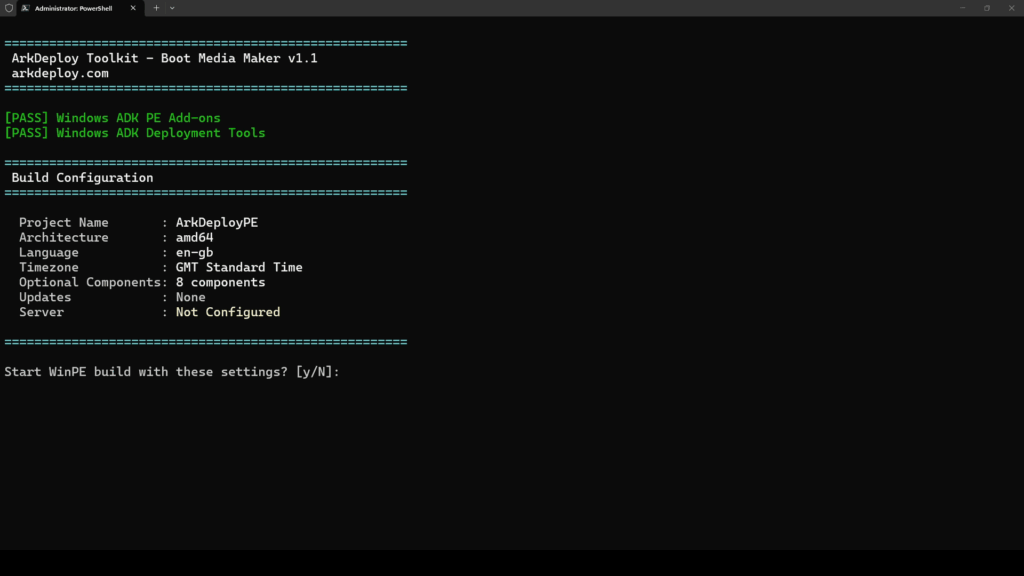
01 · Build your Windows PE environment
Use ArkDeploy Toolkit to create your bootable Windows PE image. Toolkit v1.1.1 or later includes configuration fallback support for PXE booting.
02 · Prepare your PXE root
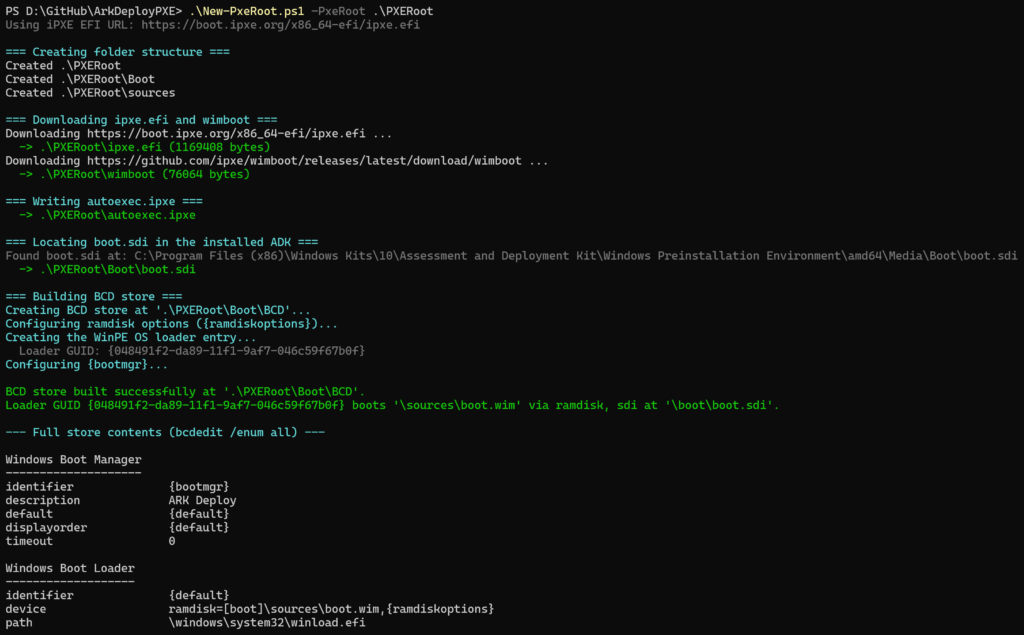
Run the included New-PxeRoot.ps1 script to prepare your boot files, then add your Toolkit-generated boot.wim to the sources directory.
03 · Configure your network
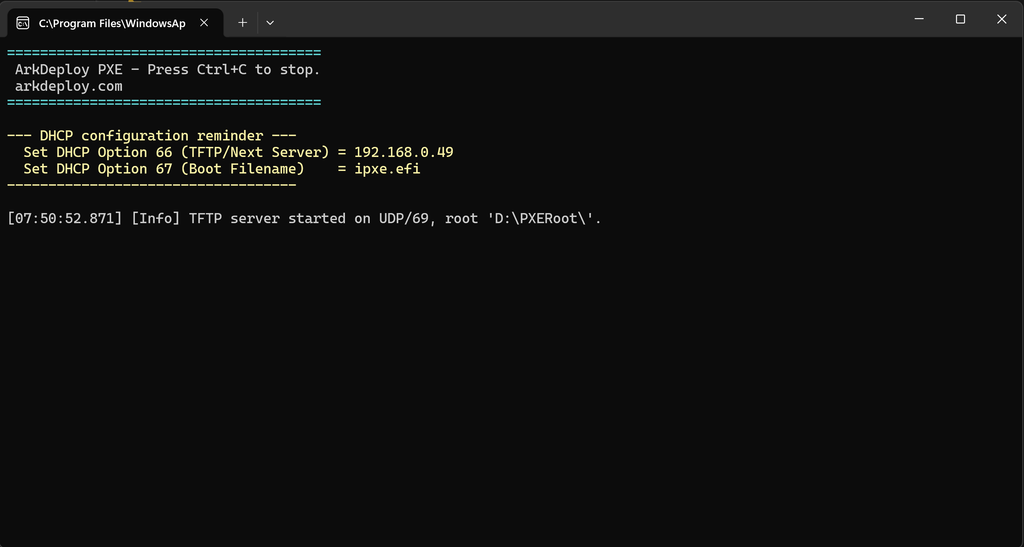
Configure your existing DHCP service using Option 66 (PXE server IP address) and Option 67 (ipxe.efi boot filename) to direct clients to ArkDeploy PXE. Ensure the required network traffic is permitted between your clients and the PXE server.
04 · Start the server and boot
Launch ArkDeploy PXE using Start-TftpServer.ps1, pointing it to your prepared PXE root. Network-boot a compatible UEFI client to load Windows PE and start ArkDeploy Toolkit.
From network boot to Windows deployment.
ArkDeploy PXE handles the network boot process using iPXE and wimboot. Once Windows PE has loaded, ArkDeploy Toolkit takes over, giving you the same familiar deployment and capture workflows without USB media.
Before you start
A few essentials to get ArkDeploy PXE up and running on your network.

Server requirements
Windows, PowerShell 7 or later, and the .NET 6 runtime. Administrator privileges are required to bind the TFTP service to UDP port 69.
Network and client requirements
An existing DHCP service, compatible UEFI clients and an ArkDeploy Toolkit-generated boot.wim. Secure Boot must be disabled for the documented ipxe.efi boot method.
ArkDeploy PXE works alongside your existing DHCP infrastructure and ArkDeploy Toolkit. For security, use it on a trusted deployment network.
Get started with ArkDeploy PXE
Download the project and follow the complete first-run guide, including DHCP configuration. The core preparation steps are:
Create the PXE root
.\New-PxeRoot.ps1 -PxeRoot .\PXERootAdd your Windows PE image
Copy your Toolkit-generated boot.wim to .\PXERoot\sources\boot.wim.
Start the server
.\Start-TftpServer.ps1 -RootPath .\PXERootNeed to manage Windows drivers alongside your deployment workflow? ArkDeploy Driver Hub provides a central driver library, hardware matching and PowerShell tools for Windows and WinPE environments.
Build the boot environment with ArkDeploy Toolkit.
Toolkit creates your Windows PE media and provides the image deployment and capture tools. PXE gives that environment a network boot path.